Bookings · Settings → General
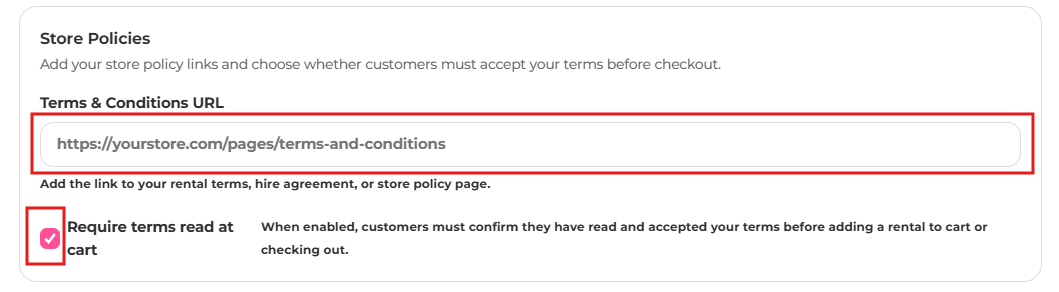
Terms and conditions checkbox
Require customers to accept your rental terms before completing their booking.
- Publish your rental terms as a page on your store and copy its URL.
- In the app, go to Settings → General and find Store Policies.
- Paste the link into Terms & Conditions URL.
- Tick Require terms read at cart.
- Save, then test by adding a rental to your cart.